




Provision SIP trunks, DIDs, and routing yourself in minutes. Get started today.

A VoIP Phone Service that fits your business

Not the other way around. Build your own cloud-based system with phone numbers, features that help you scale at any point, and easy setup.

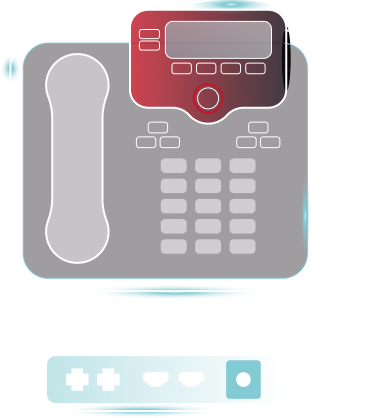
voip phone illustration

Trusted by 45,000+ Businesses

Motorola
Canada
Guerlain
Cpanel
Motorola
Canada
Guerlain
Cpanel
Motorola
Canada
Guerlain
Cpanel
Motorola
Canada
Guerlain
Cpanel

Build a phone system that works for you

Stop trying to fit your business needs to limited setups. We offer the flexibility IT professionals have been looking for to deploy a stellar business phone system without the ticket headaches.

phone office outline

Bring your own device

Use desk phones you already own, softphones you know, or the PBX system you have in place.

office user outline

VoIP.ms Cloud-PBX

Want to build from scratch? Use our Cloud-PBX for a personalized system based on your business needs.

Plus, tailored solutions:

Powerful routing & APIs

Voice infrastructure you control

Over 70 advanced features

The phone system
you just get

Combine your DID and SIP Trunking with VoIP.ms Cloud-PBX (or bring your current setup) to create a complete VoIP phone system.

voip phone system for business

Looking for the perfect number?

Get a toll free number in minutes!

Prefer to keep your current number?

Check if it can be ported to our network.

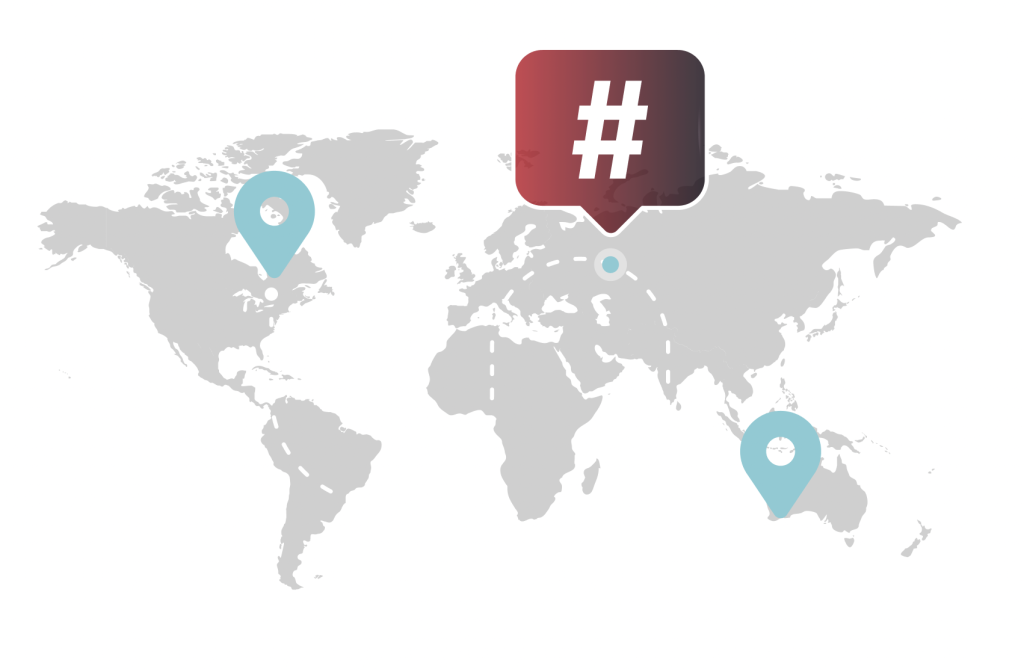
    Global VoIP coverage illustration

    Network you can trust

    Enjoy the flexibility of our builder-first phone system and call everywhere from anywhere. We offer numbers in 100+ countries, all backed by a highly resilient network with hundreds of servers spread across the world.

    45,000+

    Businesses worldwide

    99.9%

    Network uptime guaranteed

    What Our Customers Say

    Read all verified reviews on Capterra

    VoIP.ms Cloud-PBX &
    Third-Party PBX

    Learn the differences between using VoIP.ms’s VoIP phone services (with Cloud-PBX) or creating your own self-hosted PBX solution—don’t worry, though, we support both.

    Feature
    VoIP.ms Cloud-PBX
    Third-Party PBX
    Primary purpose
    Combine SIP trunking and Cloud-PBX in one platform
    Use our numbers, but keep your current setup with a third-party PBX
    Calling
    Inbound, outbound and advanced calling features
    Call management and routing depend on your chosen PBX’s capabilities
    Best For
    Streamlining operations and centralizing your phone system in one platform
    Businesses with workflows in place looking for a better VoIP phone provider
    Maintenance
    Continued security updates are managed by VoIP.ms
    IT Professional needs to manually check for security updates

    Ready to get started?

    Set up your VoIP phone service today and stay connected everywhere.

    Choose a pilot number to create a basic setup and explore all we have to offer.

    Advanced phone features for businesses

    The need-to-have attributes for a fail-proof and complete VoIP phone system.

    call recording outline

    Call Routing

    Intelligent routing based on time, location, and availability

    voicemail outline

    Voicemail to E-mail

    Complete transcriptions directly to your inbox

    users outline 6

    Conference Calling

    Host meetings with as many participants as you'd like

    face robot outline

    AI Voice Agent

    Our AI receptionist answers questions and directs calls

    pin outline

    Multi-Tenant Locations

    Perfect for managing multiple customers or locations

    music outline

    Music on Hold

    Custom audio for a professional caller experience

    voice user outline

    Call Recording

    Record calls for training and compliance

    grid square circle plus outline

    Mobile Apps

    Download our softphone (iOS and Android) for on-the-go access

    Get started with three
    simple steps

    And build your new phone system today.

    Icon circle number 1

    Create Your Account

    Sign up for a VoIP.ms account by filling the form below

    icon circle number 2

    Add funds

    All you need to get started is a $15 minimum deposit

    icon circle number 3

    Start Making Calls

    Connect your devices and you're all set!

    VoIP integrations and devices

    Create a unified phone system with the tools your team already uses.

    Integrations

    REST API

    Go pro and have full control over how you build your phone system

    laptop video outline

    Microsoft Teams

    Our connector allows for a direct and complete integration

    Multi Tennant platform

    Zoom BYOC

    Set up your system by pairing Zoom with VoIP.ms SIP trunking

    Support Resources

    Get help when you need it with our comprehensive support.

    brochure outline

    Documentation

    Wiki-style articles with in-depth descriptions and step-by-step instructions Browse docs

    media library outline

    Video Tutorials

    Our channel offers video guides and webinars you can binge-watch Watch videos

    hours 24 outline

    24/7 Support

    Get in touch however it suits you best: Email, tickets or Live Chat Contact support

    VoIP Phone FAQs

    A VoIP phone is a phone that uses an internet connection instead of traditional phone lines to make and receive calls. It can be a physical desk phone, a mobile app, or a softphone on your computer.

    Yes. In most cases, you can keep your existing number by porting it to your VoIP provider. This lets you switch services without changing your business phone number. At VoIP.ms, you can port local numbers from Canada and US48 free of charge. 

    Yes. VoIP phones are a popular choice for small businesses because they offer flexibility, lower costs, and features like call routing, voicemail, IVRs, and remote access without requiring traditional phone infrastructure.

    Yes. VoIP phones rely on an internet connection to place and receive calls. A stable, high-quality connection helps maintain clear and reliable call quality.

    Ready to get started?

    Create your account and start building with us.
    Skip to content