Provision SIP trunks, DIDs, and routing yourself in minutes. Get started today.

The Cloud-PBX built around your business

Set up call routing, IVRs, and numbers exactly how you need them, and manage your phone system from one platform without contracts or fixed plans.

voip phone illustration

VoIP.ms Cloud-PBX core capabilities

Build and manage your phone system using your internet connection and with full control over additional features.

user phone outline

Voice Calling

Handle inbound and outbound calls with reliable routing and global coverage.

directions all outline

Advanced call routing

Control how calls are distributed using IVRs, ring groups, and failover rules.

voicemail outline

Voicemail

Never miss a message with advanced voicemail features and email notifications.

PBX Service in use office

Who the VoIP.ms Cloud-PBX is built for

Growing businesses

Build a phone system that scales with your business without switching platforms.

Customer support teams

Manage high call volumes with routing, queues, and structured call flows.

Remote workers and distributed teams

Unified communications to keep your team connected across locations.

How teams use VoIP.ms Cloud-PBX

Sales teams

Distribute incoming calls using ring groups, IVRs, AI agents, and routing rules to ensure every deal is closed.

Customer support

Use queues, call routing, and monitoring to manage support calls and maintain consistent service.

VoIP.ms Cloud-PBX key features every business needs

Control how every call is handled

Set up digital receptionists (IVRs), ring groups, and routing rules to direct calls based on availability, time, or user-defined logic.

digital receptionist illustration of agent

Manage inbound and outbound calls

Handle phone calls across your system with tools for monitoring, logging, and call control.

Real-Time Two-Way Conversations

Connect your phone system to your tools

Integrate your VoIP.ms Cloud-PBX with CRMs, helpdesk platforms, and internal systems using API access.

call forwarding options

Stay informed and responsive

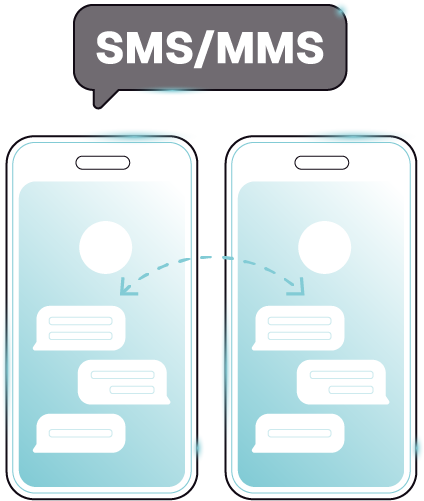
Receive alerts, voicemail messages, and communication updates across your system.

Send SMS / MMS

Works with your existing setup

The VoIP.ms Cloud-PBX works with IP phones, softphones, and third-party systems so you can create the best communications solution for your business.

24/7

Technical Support

100+

Compatible Devices

PBX IT Operations equipment

Ready to get started?

Create your account in minutes to access over 70 Cloud-PBX features.

Set up your first line and start creating the perfect phone system for you business.

Traditional PBX vs. VoIP.ms Cloud-PBX

Choose a setup that gives you control without the complexity of managing infrastructure.

Traditional /
On-Premise PBX
VoIP.ms
Cloud-PBX
Setup
Requires on-site hardware and maintenance
No hardware required — fully cloud-based PBX
Control
Full control, but requires technical management
Full control over routing and configuration without managing servers
Cost structure
High upfront and ongoing maintenance costs
Usage-based pricing with no contracts
Scalability
Requires hardware upgrades and planning
Scale instantly by adding numbers and routing
Maintenance
Managed internally by IT teams
No infrastructure to maintain
Flexibility
Limited by hardware and system design
Fully configurable call routing and system logic

Connect your VoIP.ms Cloud-PBX to how your team works

Take calls from anywhere

Use our proprietary softphone mobile app to make and receive calls from the VoIP.ms Cloud-PBX.

Integrate with Microsoft Teams

Connect the VoIP.ms Cloud-PBX to Microsoft Teams to manage calls alongside your existing communication tools.

What Our Customers Say

Read all verified reviews on Capterra

Trusted by 40,000+ Businesses

Motorola
Canada
Guerlain
Cpanel
Motorola
Canada
Guerlain
Cpanel
Motorola
Canada
Guerlain
Cpanel
Motorola
Canada
Guerlain
Cpanel

VoIP.ms Cloud-PBX FAQs

A PBX (Private Branch Exchange) is a business phone system that manages internal and external calls. It includes features like extensions, call routing, voicemail, ring groups, and auto-attendants.

Essentially, PBX refers to the system’s infrastructure, while VoIP describes the method (or protocol) for making and receiving phone calls. Traditional PBX systems are on a private telephone network, often using analog technology or an on-premise PBX setup, whereas Voice over Internet Protocol (VoIP) converts phone calls into digital data transmitted via an internet connection. VoIP PBX systems can integrate with other apps and offer features like auto attendants and interactive call management.

VoIP.ms gives businesses more flexibility and control over their phone setup. Instead of a fixed hosted PBX model, you can build custom call flows, manage routing, connect your own PBX, and use self-service tools and APIs to control your voice infrastructure.

No. You can use VoIP.ms with softphones, mobile apps, or existing IP phones. If preferred, you can also connect compatible PBX hardware or SIP devices.

Yes. VoIP.ms lets you create IVR menus to route callers to the right department, extension, or voicemail using customizable call flows.

Yes. VoIP.ms makes it easy to add users, phone numbers, extensions, and routing rules as your business grows, without needing major infrastructure changes.

Get Started with VoIP.ms

Create your account and start building your voice setup in minutes.
Skip to content