Provision SIP trunks, DIDs, and routing yourself in minutes. Get started today.

Turn your number into a virtual fax line

Send and receive faxes using DIDs, email, or API, and route documents where they need to go with no extra hardware required.

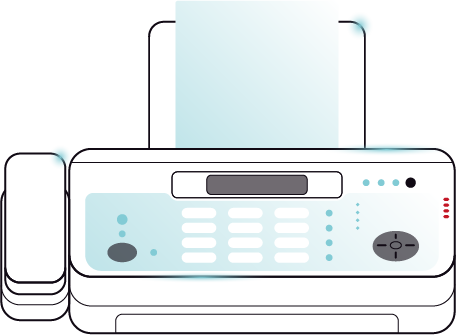
virtual fax illustration

What you can do with online fax services

Get or port your fax numbers, control delivery, and manage documents without additional systems.

fax icon

Send fax

Send documents from email, portal, or API using your VoIP.ms fax number.

receipt outline

Receive fax

Incoming faxes are delivered to email or webhook endpoints as PDF files.

envelope open check outline

Email Integration

Route faxes through existing mailboxes or shared inboxes.

laptop mobile outline

Works on any device

Access fax activity from desktop or web through the portal or your own workflows.

window shield outline

Secure transmission

Encrypted delivery keeps documents protected during transfer and storage.

archive sparkle outline

Automatic storage

All faxes are logged in your portal with search and retrieval options.
Who uses Virtual Fax

Used by teams that need reliable document delivery without manual handling or hardware.

Common faxing needs

Here’s a look at how VoIP.ms’ Virtual Fax can fit with specific industry use cases.

Route faxes across teams and locations

Receive faxes through email or portal access and distribute documents across departments without physical fax hardware or shared machines.

Send and receive signed contracts

Handle agreements through fax while keeping a digital record. Send documents from email or portal and receive signed copies automatically.

How virtual fax works

VoIP.ms helps you send and receive faxes without a fax machine.

Send fax from email, portal, or API

Send documents using your VoIP.ms number without hardware or manual steps. Attach a file, enter the destination, and send, or trigger fax through the API.

send fax illustration

Get faxes via email or webhook for cloud storage

Incoming fax is converted to PDF and delivered based on your setup. Route documents to inboxes or systems automatically.

email routing illustration

Send and receive fax through your inbox

Use your existing email workflows to manage fax. Send documents directly from email and receive incoming fax without switching tools.

call management illustration

Access fax from anywhere

Whether you’re at the office or on the go, you can access all of your documents from your desktop or mobile device.
call transcription use cases

T.38 Faxing

Continue using supported fax equipment while taking advantage of IP-based fax transmission. T.38 helps improve reliability when sending and receiving faxes over VoIP networks.
send fax illustration

Built for your workflows

Connect fax to your tools using API, email, or pre-built integrations so you can control how documents move across your systems.

Virtual fax Built for your workflows

Send and receive faxes, pay as you go

No need for hardware or different phone numbers to fax. Plus, pay only for what you use with our usage-based model.

Service
Rate
Details
Fax-enabled DID
$ 1.99 / DID
Get U.S. or CAN numbers with fax capability
Outbound fax
$ 0.029 / min
Send fax to any destination
Inbound fax
$ 0.029 / min
Receive fax as PDF via email or regular fax

Ready to get started?

Set up your VoIP Virtual Fax and start sending and receiving faxes in minutes.

Choose a new fax-enabled number or port your existing fax numbers to VoIP.ms.

What Our Customers Say

Read all verified reviews on Capterra

Trusted by 45,000+ Businesses

Motorola
Canada
Guerlain
Cpanel
Motorola
Canada
Guerlain
Cpanel
Motorola
Canada
Guerlain
Cpanel
Motorola
Canada
Guerlain
Cpanel

Virtual Fax FAQ

Virtual fax lets you send and receive faxes over the internet instead of using a traditional fax machine or phone line. Documents are typically sent through email, a web portal, or a mobile app.

Virtual fax services can be highly secure when they use encrypted connections and secure account access. This helps protect sensitive documents during transmission and storage.

No. Virtual fax works entirely online, so you don’t need a physical fax machine, dedicated phone line, or additional hardware.

If you have Email-to-Fax enabled on your account, you can send and recieve faxes via the email app on your Android or iPhone

Ready to get started?

Create your account and start building with us.
Skip to content