The phrase “it just works” shows up everywhere in technology marketing, especially in the world of VoIP. It sounds reassuring. However, for lean IT teams, it rarely holds up when put to the test.
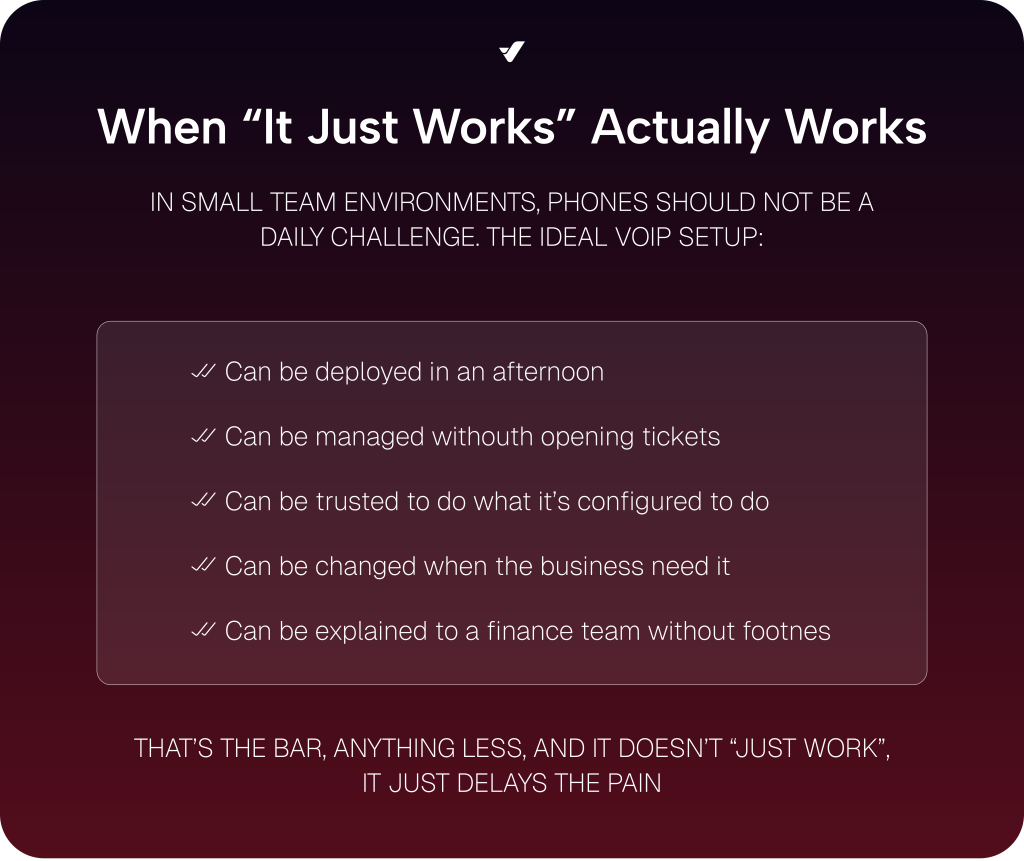
Because here’s the thing: when you’re managing phones for a small team, “it just works” needs to mean more than “you don’t have to think about it.” It also needs to mean:
- You know how everything is set up
- You can make changes without support tickets
- You can predict how much it will cost
- You can troubleshoot without guesswork
In other words, it’s not about VoIP (Voice over Internet Protocol) that disappears into the background. It’s about VoIP that’s fully documented, clearly priced, and easy to operate for even the leanest of teams.
This guide unpacks what “it just works” should really look like in VoIP for small teams, and how to spot the tools that make it happen.
Why “It Just Works” Is Often Too Vague to Trust

When a provider says “it just works,” what they often mean is: “we simplified things so much, you don’t have access to most of it.”
That might sound appealing at first. But small teams don’t stay static. You add users. You hire remote staff. You move offices. You change your call flow or bring support in-house. Eventually, the limitations show up:
- Routing changes that require a support ticket
- Call quality issues that can’t be diagnosed
- Bills that don’t match usage
- Numbers that can’t be ported the way you expect
For lean teams (especially those who prefer to manage their tools directly), that’s not simplicity. That’s friction. Here’s how you make sure the VoIP platform you choose is as easy as the provider says it is.
What “It Just Works” Should Mean for Small Team VoIP Phone Systems

If you’re running IT for a startup or a small team, here’s what to actually look for when a provider claims their VoIP service for small teams “just works.”
1. Fast Setup That Doesn’t Cut Corners
Getting a system up and running quickly doesn’t mean skipping steps. It means the setup path is clear and is equipped with documentation that shows what to do, what not to do, and how things fit together.
We’re talking:
- Clear provisioning of numbers, users, and devices (desk phones, desktop and mobile apps, etc.)
- Documented call flow examples
- Straightforward defaults that still allow flexibility
Whether it’s a startup founder spinning up their first IVR or an MSP onboarding a new client, clarity up front prevents loads of issues later.
VoIP.ms supports this with short, specific onboarding guides for people setting up a system today, not just evaluating one.
2. Call Routing That’s Transparent and Flexible
VoIP call flows are simple. . .until they’re not. Management features like auto attendants, failover rules, conditional routing, and time-based logic can get complicated fast. The difference is whether those elements are visible and manageable.
Platforms that support self-service VoIP give you the ability to:
- See where each number points in real time
- Adjust routes without delay
- Set fallback behavior that you can test, not just hope it works
For lean IT teams handling business communication, control is peace of mind. The ability to test and adjust without a support call means fewer fire drills and more confidence that calls are handled the way they should be.
A VoIP system from VoIP.ms lets users build and adjust routing paths using drag-and-drop modules, not tickets and turnaround times.
3. Billing That’s Predictable and Verifiable
If you’ve ever tried to break down a VoIP bill and couldn’t, you’re not alone. Many business VoIP providers offer simple pricing at first glance but then hit you with usage caps or extra fees for features you thought were included.
That’s why you need a VoIP service provider that offers predictable VoIP billing. This experience starts with:
- Transparent rates that are available online for review before you sign up
- Itemized call logs and charges, so you know why each charge exists
- Clear separation between usage-based and flat-rate costs
- The ability to track where each charge is coming from
When you can match billing details to your usage patterns, there are fewer surprises and fewer follow-up questions.
Our business phone system’s pricing model is published, itemized, and viewable directly in the portal so you know precisely what you’re paying for and when.
4. Real Documentation (Not Just a Sales PDF)
It’s easy to say, “check the documentation.” That only works, though, if the documentation for your VoIP system is actually useful. Too many platforms rely on vague help articles or forum replies when what lean teams really need is guidance they can follow with confidence.
What good VoIP docs look like:
- Step-by-step examples that mirror real setups
- Clear explanations of settings, not just definitions
- Device configuration help that doesn’t assume one-size-fits-all
- Troubleshooting info that explains what to do next
The right docs don’t replace support; they help you avoid needing it in the first place.
The team at VoIP.ms maintains a wiki-style documentation hub that covers both basic and advanced configurations in plain language.
Want a peak? Check out our Managing DIDs and Account Settings entries!
5. Configurable Without Being Complex
Many VoIP systems expect you to pick a lane: either live with rigid templates or build everything from scratch. Yet for most small IT teams, the sweet spot is somewhere in between.
You want to handle the essentials like create a ring group, set up call forwarding, etc. Eventually, you may even want to add custom alerts or integrate your virtual phone system with ticketing platforms, customer experience tools, etc.
That’s where low-code configurability becomes a key part of “it just works.” It allows you to access the basics and tap into more advanced techniques. . .all without writing a single line of code or calling support.
For small businesses, that kind of flexibility lets them easily adapt to whatever comes their way.
VoIP services from VoIP.ms are equipped with low-code call flow builders, automation options, and a well-documented API for those who want to take integration a step further.
6. A System You Can Monitor and Troubleshoot
Even the best business VoIP system will experience an issue now and then. A call drops. An endpoint stops registering. Someone says their line isn’t ringing.
What matters is how quickly you can figure out why that issue is happening. When you’re a small team, odds are you don’t have time to wait a few days for support to check things out.
You need a platform that lets you look under the hood yourselves. The best VoIP systems let you:
- View inbound and outbound call attempts with status codes
- See SIP device registration status
- Check server availability and latency
- Test routing logic before it’s live
When those advanced features are built in, lean IT teams can troubleshoot quickly, prevent repeat issues, and skip the support queue. Because if someone says “my phone’s not ringing,” it shouldn’t take two days to verify the call path.
VoIP.ms gives users access to real-time and historical logs, helping teams spot and resolve issues before they become recurring problems.
Need Your Phone System to “Just Work?” Then VoIP.ms is the VoIP Provider for You
For small teams, “it just works” should mean more than smooth sales demos. It should mean a clear setup, transparent billing, and tools that let you make changes without jumping through hoops.
That’s exactly what VoIP.ms delivers: a platform built for lean IT, with documentation, control, and low-code flexibility at its core.
So, if you’re looking for a platform that works the way you do, VoIP.ms is probably the place to start. Start your journey to better business communication today!