For a lot of teams out there, adding voice for SMB IT teams still feels like a daunting and heavy lift.
Not because voice itself is complicated, but because traditional phone systems were never built for how modern small businesses operate now. They rely on rigid configurations, traditional phone lines, and limited control over how calls are handled.
Today, SMB IT teams need something different: a flexible, transparent VoIP phone system that fits their existing environment without forcing change.
Why Traditional Phone Systems Create Friction
Legacy and traditional phone systems often introduce unnecessary complexity into otherwise simple workflows.
Common issues include:
- Dependence on traditional phone lines and fixed infrastructure
- Limited access to advanced features without expensive upgrades
- Poor visibility into usage, billing, and call handling
- Lack of flexibility across devices and multiple locations
For small businesses, this leads to slower operations, higher costs, and systems that don’t align with real-world needs.
What Modern Voice Looks Like for SMB IT
Modern voice is built on internet protocol (IP), which allows teams to route calls, manage phone numbers, and configure a business phone system without being tied to a single device or location.
Instead of replacing everything, SMB IT teams can layer voice into their current setup using:
- Existing hardware like desk phones
- Mobile apps and desktop app access
- SIP trunking to connect a current PBX system
This creates a flexible foundation where the same features are available across devices, helping teams stay connected and maintain seamless communication.
Start Small Without Rewriting Your System
Adding a business phone system doesn’t require a full rollout.
Many teams begin with:
- One business number
- A simple call routing setup
- A small group of users testing inbound and outbound calls
This allows you to receive phone calls, test call recording, and evaluate performance without disrupting existing communication tools.
From there, expansion is gradual. You can scale based on usage, add new customers, and extend service across multiple sites.
Cloud PBX and SIP Trunking: Build Around What You Have
A cloud PBX for SMBs combined with SIP trunking provides a practical way to modernize voice without replacing your current system.
With SIP trunking, you can connect your existing PBX system to a VoIP network, enabling:
- Flexible call routing and ring groups
- Multi-level auto attendants and multi-level IVR
- Support for incoming and outbound calls
This approach works well for small businesses that want control without committing to rigid platforms.
According to the Federal Communications Commission (FCC), VoIP services improve scalability and allow businesses to manage calls more efficiently over the internet.
Device Flexibility and BYOD Support
A modern business phone solution for small business should support any device.
That includes:
- Desk phones in the office
- A mobile device for remote users
- A desktop app for internal teams
This flexibility allows teams to stay connected regardless of where they are while maintaining consistent service across multiple locations.
It also eliminates the need for forced hardware purchases, helping businesses save time and reduce costs.
Features That Support Real Workflows
Modern phone systems are less about checklists and more about practical outcomes.
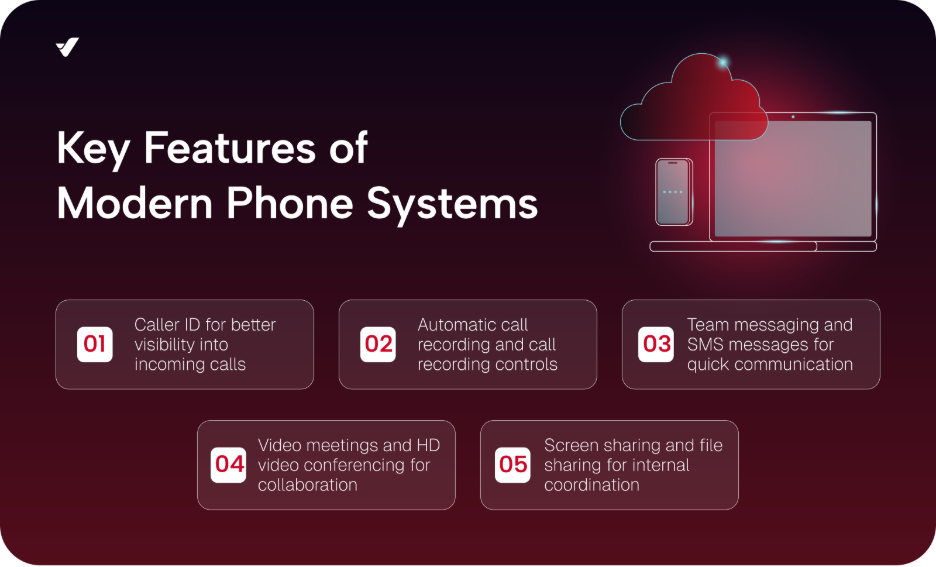
Key features include:
- Caller ID for better visibility into incoming calls
- Automatic call recording and call recording controls
- Team messaging and SMS messages for quick communication
- Video meetings and HD video conferencing for collaboration
- Screen sharing and file sharing for internal coordination
These features like real time analytics, breakout rooms, and interactive features allow teams to manage communication more effectively.
Integration with Existing Tools
SMB IT teams often rely on tools like Google Workspace and CRM platforms.
A flexible voice system should integrate with these platforms to support effective communication without creating silos.
This allows teams to:
- Manage contacts and customer data
- Track phone calls and interactions
- Maintain a consistent communication experience across systems
Cost Control and Transparency
Pricing is one of the biggest concerns for SMB IT teams.
Many providers bundle features into rigid plan structures, making it difficult to understand actual costs.
A pay-as-you-go model provides:
- Visibility into usage and costs
- Flexibility to scale without committing to a basic plan
- Options for unlimited calling (like unlimited domestic calling) where needed
Additional benefits may include toll free numbers, toll free minutes, and volume discounts based on usage.
This gives businesses a clearer understanding of their service and eliminates billing surprises.
Supporting Remote Teams and Multiple Locations
Modern phone systems are built to support distributed teams.
Whether your team is spread across multiple locations or working remotely, VoIP allows users to:
- Receive phone calls on any device
- Route calls dynamically based on availability
- Maintain seamless communication across locations
This ensures consistent service and supports a growing business without additional infrastructure.
Administrative Control and Self-Service
A strong admin console is essential for SMB IT teams.
With self-service management, teams can:
- Configure call handling rules
- Add or remove phone numbers
- Manage features without relying on phone support
This reduces dependency on vendors and allows teams to respond quickly to changing business needs.
How VoIP.ms Supports SMB IT Teams
VoIP.ms provides flexible solutions designed for SMB IT teams.
With VoIP.ms, businesses can:
- Use SIP trunking for small businesses to connect existing systems
- Deploy a cloud PBX with advanced features
- Manage calls, devices, and configurations through a self-service portal
- Access features like call recording, auto attendants, and real time analytics
This makes it easier for businesses to adapt voice to their unique business needs without being locked into a rigid system.
Add Voice Without Disruption
Adding voice doesn’t have to mean replacing everything.
For SMB IT teams, the goal is simple: implement a flexible business phone system that supports your workflows, your devices, and your business.
By using VoIP, SIP trunking, and a cloud-based approach, small businesses can:
- Improve communication with customers
- Scale services as needed
- Maintain control over their system
The result is a modern business phone environment that supports effective communication without unnecessary complexity.
If you want to get started, you can explore your options or contact us today!