Phone issues are frustrating enough on their own. What makes them worse is when IT teams don’t have enough visibility to quickly figure out what actually changed.
Instead of getting clear answers, troubleshooting often turns into a long process of recreating problems manually, testing random configuration changes, or chasing inconsistent user reports.
For SMB IT teams, that kind of reactive troubleshooting quickly becomes time-consuming and disruptive.
That’s where call logs and usage views become valuable. Not because they create more reporting work, but because they help admins troubleshoot faster with less guessing.
Why Voice Troubleshooting Often Takes Longer Than It Should
Most phone-related issues don’t arrive with obvious explanations.
Users may report:
- dropped calls
- one-way audio
- inconsistent routing
- failed outbound calls
- unexpected call behavior
The problem is that these symptoms rarely point directly to the actual cause.
Without call visibility, IT teams often end up:
- adjusting routing before confirming the issue
- restarting devices unnecessarily
- escalating tickets too early
- investigating the wrong systems entirely
The result is longer resolution times, more frustration for users, and more manual work for admins.
The First Question Is Usually: “What Changed?”
Almost every troubleshooting session starts the same way. Something that was working yesterday suddenly isn’t working today, and the first goal is figuring out what changed.
This is where call logs become incredibly useful.
Instead of relying on assumptions, admins can review actual call activity to see:
- when calls started failing
- whether routing behavior changed
- if forwarding or failover rules were triggered
- whether the issue affected one user or multiple users
That visibility changes the troubleshooting process because teams can focus on confirmed behavior instead of possibilities.
How Call Logs Reduce Trial-and-Error Troubleshooting
One of the biggest time drains in voice troubleshooting is making changes before confirming the actual issue.
It’s common for teams to:
- rebuild routing unnecessarily
- modify forwarding rules prematurely
- test multiple fixes at once
- spend hours recreating isolated issues
Call logs help eliminate much of that trial and error.
Reviewing timestamps, routing behavior, call attempts, and call duration gives admins a clearer picture of what actually happened during a call. That context makes troubleshooting more targeted and helps reduce unnecessary changes that can create even more confusion later.
Usage Trends Often Reveal Problems Earlier
Not every issue begins with a help desk ticket. In many cases, the first warning signs appear inside usage activity long before users report a problem.
Usage views can help teams identify:
- sudden traffic spikes
- recurring failed calls
- unusual outbound activity
- unexpected changes in call volume
- repeated routing inconsistencies
For SMB IT teams managing multiple users or locations, that kind of visibility becomes especially valuable over time.
Analytics Don’t Need to Be Complicated to Be Useful
A lot of SMB IT teams hear the word “analytics” and immediately picture oversized dashboards full of reports nobody actually wants to manage.
But effective troubleshooting analytics are usually much simpler than that.
Most admins only need a few basic answers:
- What changed?
- When did it start?
- Who is affected?
- How often is it happening?
Call logs and usage views help answer those questions quickly without adding unnecessary complexity. The goal isn’t building reports for the sake of reporting. The goal is helping teams troubleshoot faster and make better decisions with less manual effort.
Why Regular Log Reviews Matter
Many teams only check logs after something breaks. The problem with that approach is that recurring issues often go unnoticed until they become much harder to manage.
A quick monthly review can help identify:
- repeated support complaints
- unusual traffic behavior
- recurring failed calls
- outdated routing logic
- trends tied to recurring tickets
Even spending a few minutes reviewing activity regularly can improve long-term visibility and reduce reactive troubleshooting later.
Better Visibility Leads to Faster Resolutions
The longer IT teams spend trying to figure out what happened, the longer users stay frustrated.
Call logs and usage views help shorten that process by giving admins clearer operational visibility into how the system is behaving.
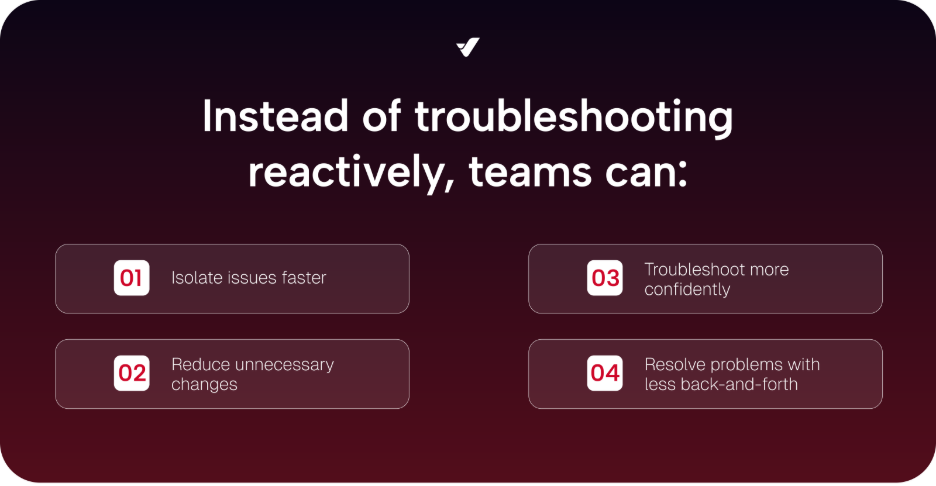
Instead of troubleshooting reactively, teams can:
- isolate issues faster
- reduce unnecessary changes
- troubleshoot more confidently
- resolve problems with less back-and-forth
And in many cases, simply seeing what changed is the fastest way to fix the problem.
Neet help setting up faster troubleshooting? We can help, just contact us, we’re ready!